
Rowan's journal
Week 2:
I started of the week by adding more elements to the website which i started programming in week 1. The first Week i set up the basic structure of the website. This week i'm starting on adding extra features and elements. Making the connection from the website to the database to retrieve valuable data.
Week 3:
Day 13 of May 2024:
Today i'm going to finish the user story by adding elements to the documentation side of the user story. With this user story complete i'm going to focus on selecting a new user story to work on the website side of the project. I've selected to work on the user story to show the availability of the cups. i've chosen to do this one because my learning story is to understand how to make a functional and easy to understand website.
Day 14 of May 2024:
Today im normally free but today i wanted to add the elements from the user story. So I wanted to make it visible to show on the website the amount of cups that were there. Halfway through the day I have finished the elements of the user story. It is now possible to see the time of availability of the cups and the amount of cups that are able to be lend out. Further this week I will add more elements to make the website better looking overall.
Day 15 of May 2024:
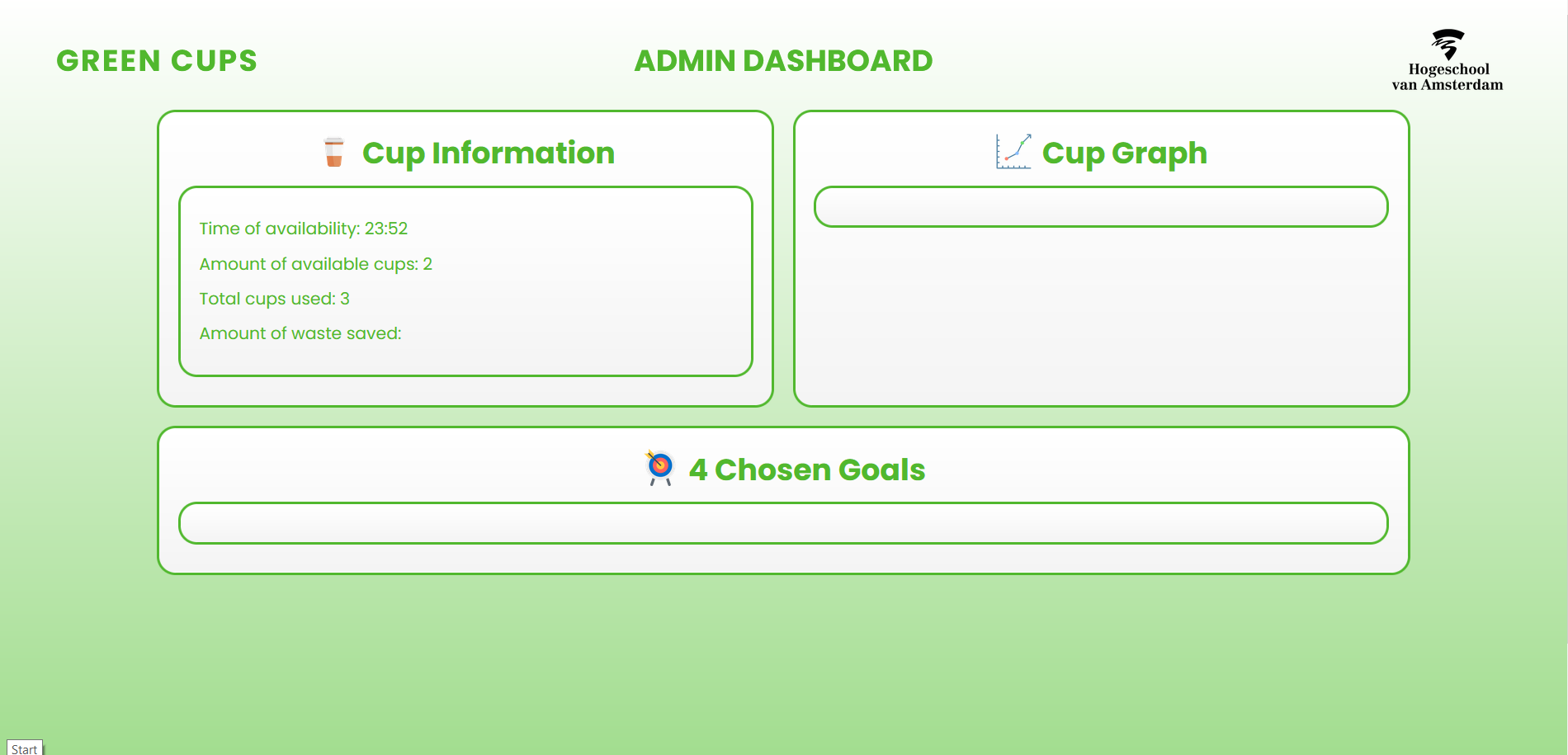
Today i worked further on my learning story, on how to make the website more visibly pleasing with the use of HTML and CSS. I added loads of elements including images and switching the color of the website to make it more readable for the user. I also changed the layout of how the collected information is shown on the webpage. The website can now collect the time and update it every minute, it can collect the amount of available cups and the amount of cups in use. The website as of today looks like the following:
Day 16 of May 2024:
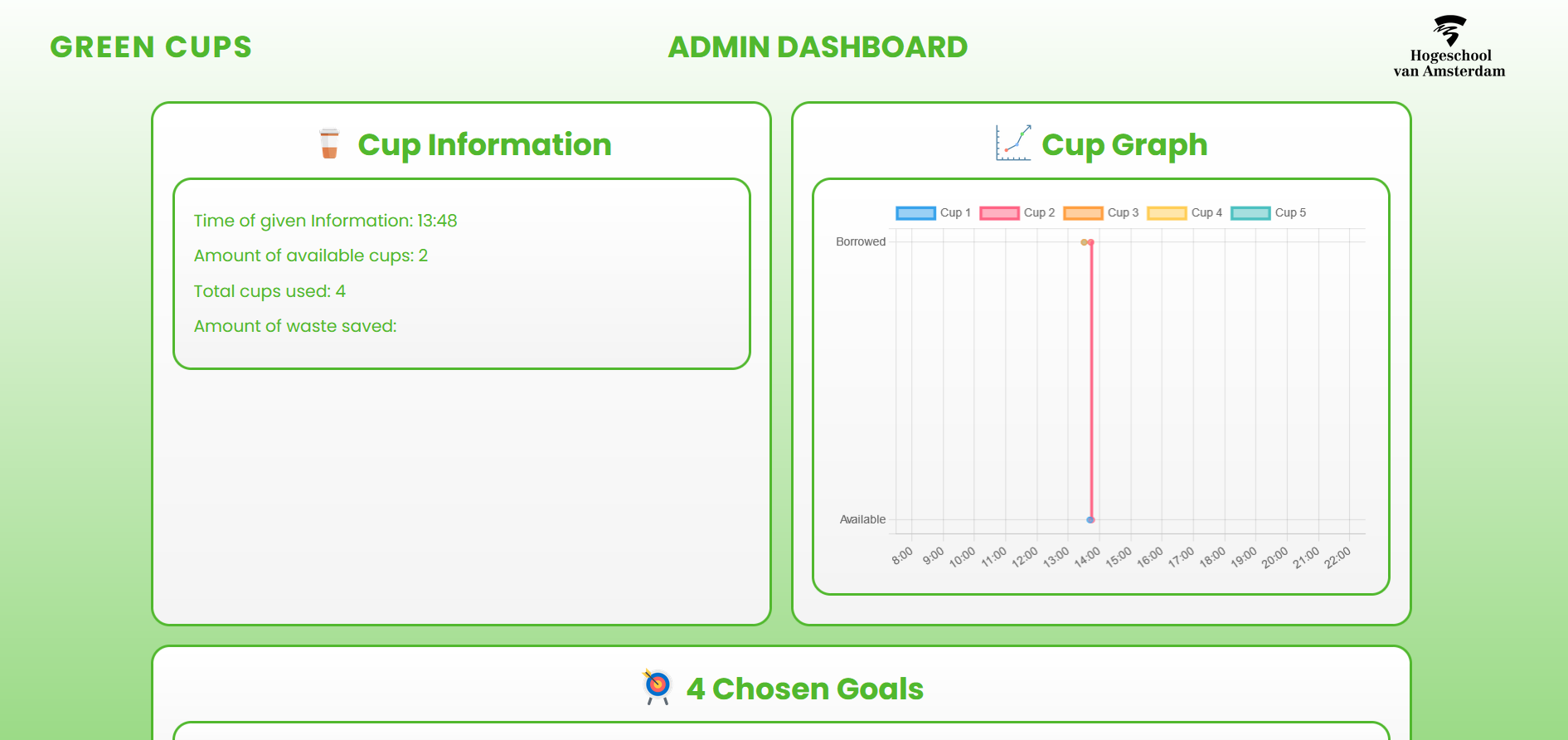
Today i have implemented the graph that was created by tim into the webpage. The webpage is now taking more shape into how we want the webpage working. The graph makes it more clear to the admin to track the use of the cups. The website as of today looks now like the following:
Week 4:
Day 22 of May 2024:
Today we started on the second sprint. We made new user stories , and brainstormed about our idea what we want to create. We came to the conclusion to readjust our main device. We are now focussing on creating a interactive yes or no cup system where the user puts the cup in either yes or no. We made new sketches on how to implement the new device. Later on in the day i had my first expert review, what went well granting a as expected goal.
Day 23 of May 2024:
Today we finished adding the new user stories for sprint 2. We came out to about 25 new ones to work on during this sprint. Later during the day we had a new meeting with gideon to discuss our newly made idea that we want to work out and got the green light from him to work further on it. I then chose the user story 102: 'As a User, I want to letters of the sign to stand out, so I am interested in approaching the device'. This because i wanted to work on a learning story about 3d designing.
Day 24 of May 2024:
I started of the day with some research into 3d designing. This because I have the learning story: 'For learning, I want to learn how to make 3D letters that can be filled with led-lights.' This learning story is in-line with the user story I'm working on. By looking up tutorials I found out that using more round fonts will be easier for the 3D printer to print them out correctly, because there aren't any sharp corners for the printer to screw up.
After this finding I went to tinkercad to import a round custom font. With this new font i started on creating a design.
Day 26 of May 2024:
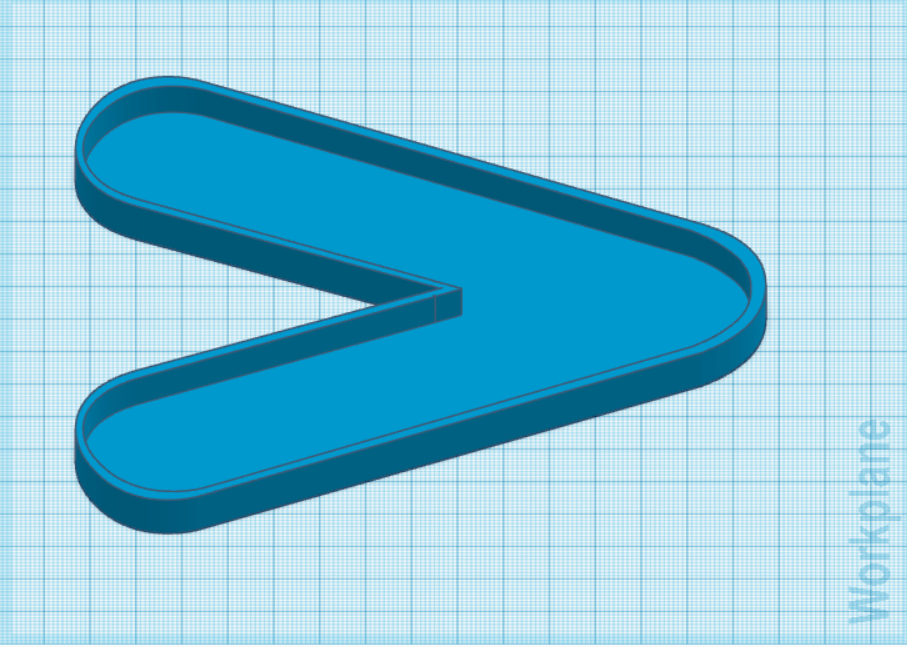
I finished the sizing of my design which i started making on friday. Because the size of the board where the letter needs to be placed on isn't quite worked out yet, I now made the letter a size that i think will be big enough to grab the attention, and deep enough for the led lights to be placed in it.
After working with tinkercad for a bit and my research being making led letters, the following design was made:
Tomorrow I will start with printing the letter out to see if these diameters work.
Week 5
Day 27 of May 2024:
Today I will finish the documentation part an start printing out the 3d letter v. I have chosen to print it out oin transparent PLA, making it easier for the led lights to shine through.The print will take 1 hour and 50 minutes and has a size of 23 grams. In the time the design is printing, i can start on writing the documentation.
Day 29 of May 2024:
Monday the 3d design came out exactly how we wanted it to be. This made it that i could focus on working on the documentation. After this i will chose another learning story and a new User story to work on.
Day 30 of May 2024:
This whole day i had to readjust the documentation to make it possible to merge correctly with the main. I achieved it finally and i could start on working on my new user story. With the new user story I need to look at the best graph to show the user on the webpage. therefore i will make the learning story: 'For learning, I want to figure out which graph will be the most useful to use for displaying the answers given to the questions'. With this learning story in place i can work towards a efficient yet easy to read graph.
Day 31 of May 2024:
I started on making the 3d design. I soon came to realize that in tinkercad there is a limit on how big the design can be. So or i have to learn a new 3d design model website, or make the design in a smaller scale. At the end of the day i had a rough idea on how i wanted the design to look an be inline with the size of the whole device.
Day 1 and 2 of June 2024:
This weekend i have been focussing on fine tuning the 3d design therefore putting a lot of time in adjusting the sizes and making the design look way more clean overal. This took quite a bit of time because the adjusting and right placing of elements can be quite tricky in Tinkercad.
At the end of the weekend I finished the designs looking like the following:
Front-view: 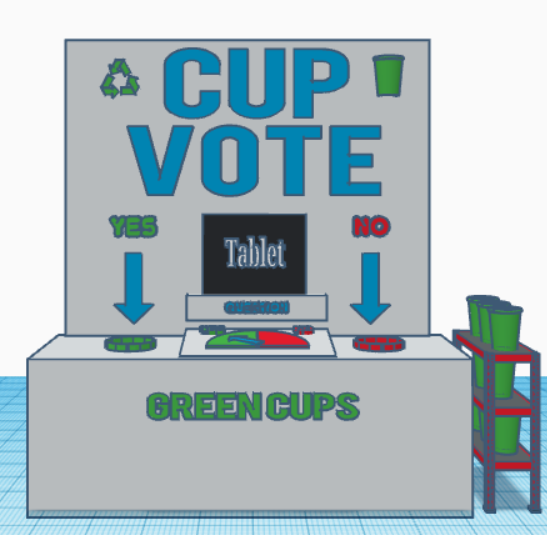
Right-side-view: 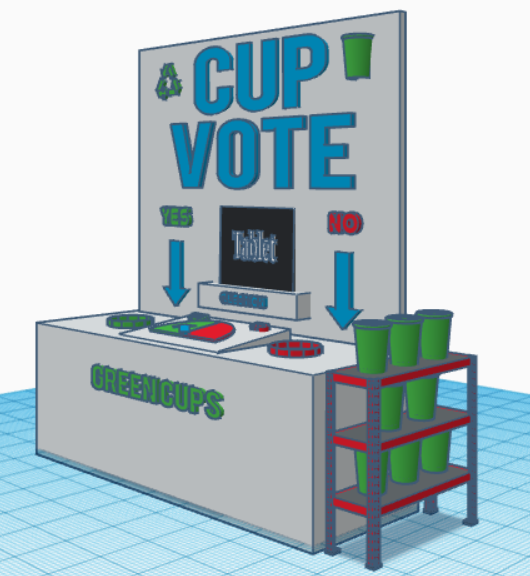
Left-side-view: 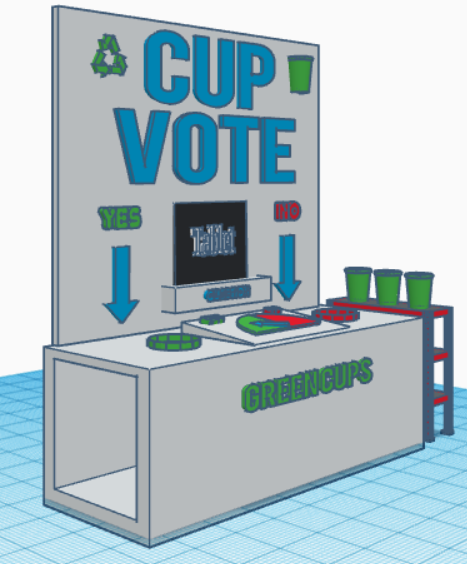
Top-side-view: 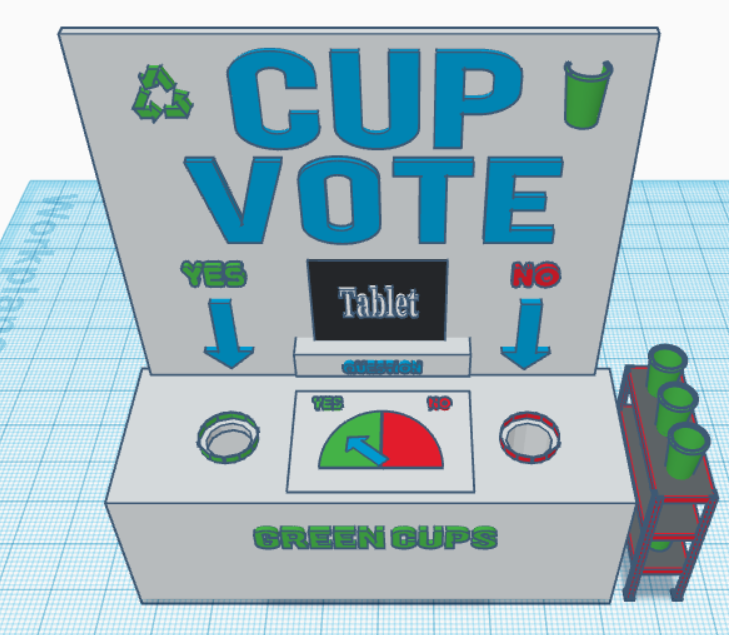
No with the design made we need to see if it's possible to create such a big design or we need to readjust the sizing of the letters to make it all fit. Tomorrow i will finish the documentation part of the design.
Week 6
Day 3 of June 2024:
We started on making the first parts of the device . Tim and Diego went to the makerslab to collect and cut the wood fitting the design i finished yesterday, while liera and I worked on the old tablet to get the site up and running. but liera came to the discovery that the tablet was to old to fetch the javascript data. Thankfully Joey came with a newer tablet therefore enabling us to still use the tablet idea. With the first parts created for the device we can start the user testing. I will start by making a solid user test case tomorrow.
Day 4 of June 2024:
I created the user story surrounding the user testing, and the learning story on how to create a useful user testing case. This will allow me to get fully understanding on how to successfully create a user test case. I started today on adding elements to it but will finish it tomorrow.
Day 5 of June 2024: Today i'm going to work on the user testing side. Im going to setup the documentation to correctly test out the user interaction with the device.
Day 6 of June 2024:
Today we are going to test out the device with the use of the user testing case that I set up yesterday. We are going to ask random students to just use the device without any explanation or prior knowledge about the workings of the device to see a genuine reaction from the user. After these tests are done, we can have a clearer picture if the device works as intended. Later this day i have my expert review for sprint 2.
Day 7 of June 2024:
Today the whole day we worked on finishing the sprint report for sprint 2 and the retrospective.
Week 7
Day 10 Of June 2024:
Today we started the day off with adding user story's to work on for the upcoming sprint. After that i started with testing the device using the user testing format I wrote down last week. I wrote down the findings from this in the documentation creating and testing. I finished the documentation and now sent it out to get reviewed I'm now going to chose a new user story to work on this week.
Day 12 of June 2024:
Today I started on my learning story and uer story surrounding the words 'Yes and No'. My task is to make the words yes and no stand out on the headboard. For this we are going to engrave it on two pieces of wood. I searched through a few fonts and the final font we chose to use is called nefida regular and looks like the following:
Words yes and no for the engraving: 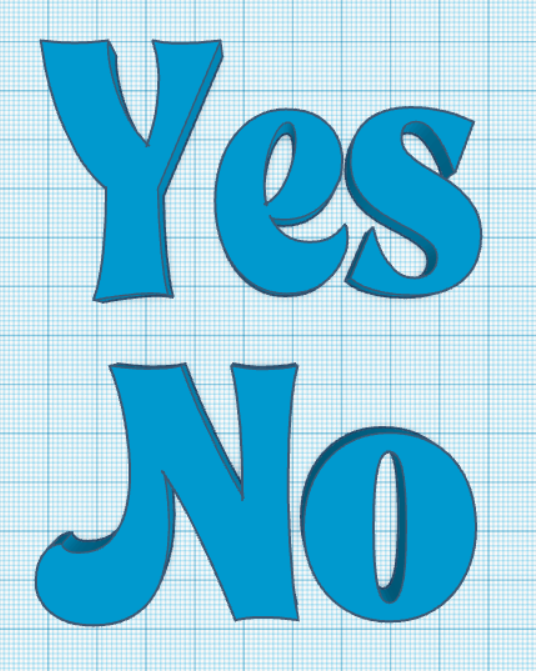
Day 13 of June 2024:
The designs are made fot the yes and no to engrave, but today all the machines are reserved so we need to do the engraving tomorrow. Today im going to work on the documentation and already looking towards a new user story for me to start with. At around 2 o clock the user story as finished as can be , only the progress pictures as well as the settings need to be documented. So i'm going to start looking towards a new user story.
I also today started on the new user story of the box that will be placed underneath the device. The dynamics were so hard to find i searched online and went to praxis as well as the action but finding a box with the sizes 55cm x 15cm x 15cm was impossible. So I went for two boxes that both would fit. To see the boxes i chose and the creating part, it is all documented on the create and test page.
Day 14 of June 2024:
Today i started on finishing the documentation for this user story and the user story for the two holes. I will later on in the day look towards picking up a new user story that i can pick up for next week.
Week 8
Day 17 of June 2024:
I finished working on the boxes for underneath the box. They came out looking like the following:
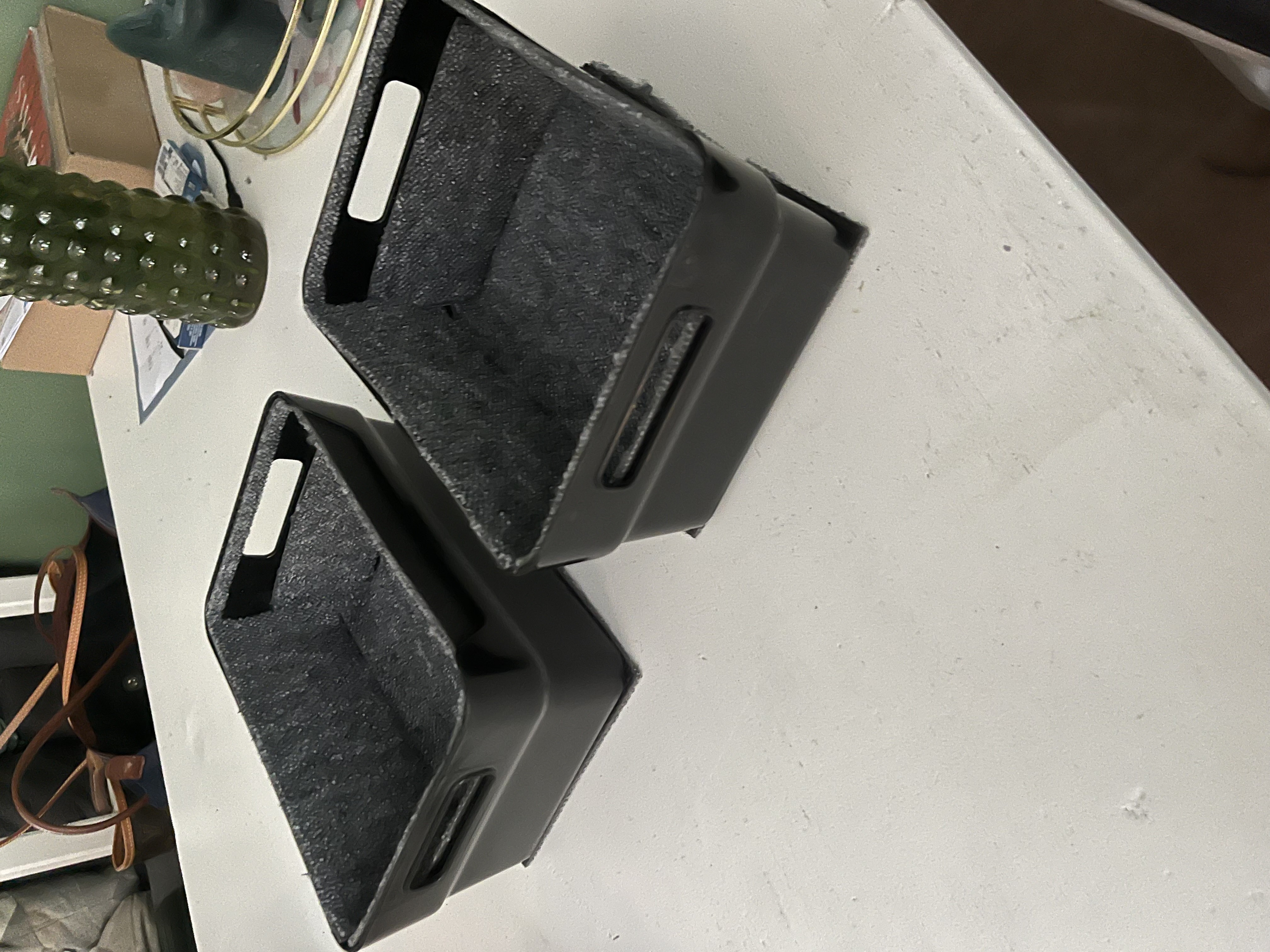
With the boxes finished i can now focus on making a holder for the tablet. To make this as accurate as possible I'm going to 3d print the frame, therefore allowing the tablet to perfectly slide into and out of the frame. I will start printing it out tomorrow.
Day 18 of June 2024:
Today i'm free from school but i'm going to the makerslab to start the print of the tablet holder. I will do this today because the frame will take 19 hours and 57 minutes to print out. I will check on wednesday if it all went correct and then i can hopefully finish the documentation for it.
Day 19 of June 2024:
I collected the printed frame, but looks a bit off. It didn't print it out correctly. So now i have to make it all smooth through the use of filing. I will spent most of the day doing this. The progress looks like the following:
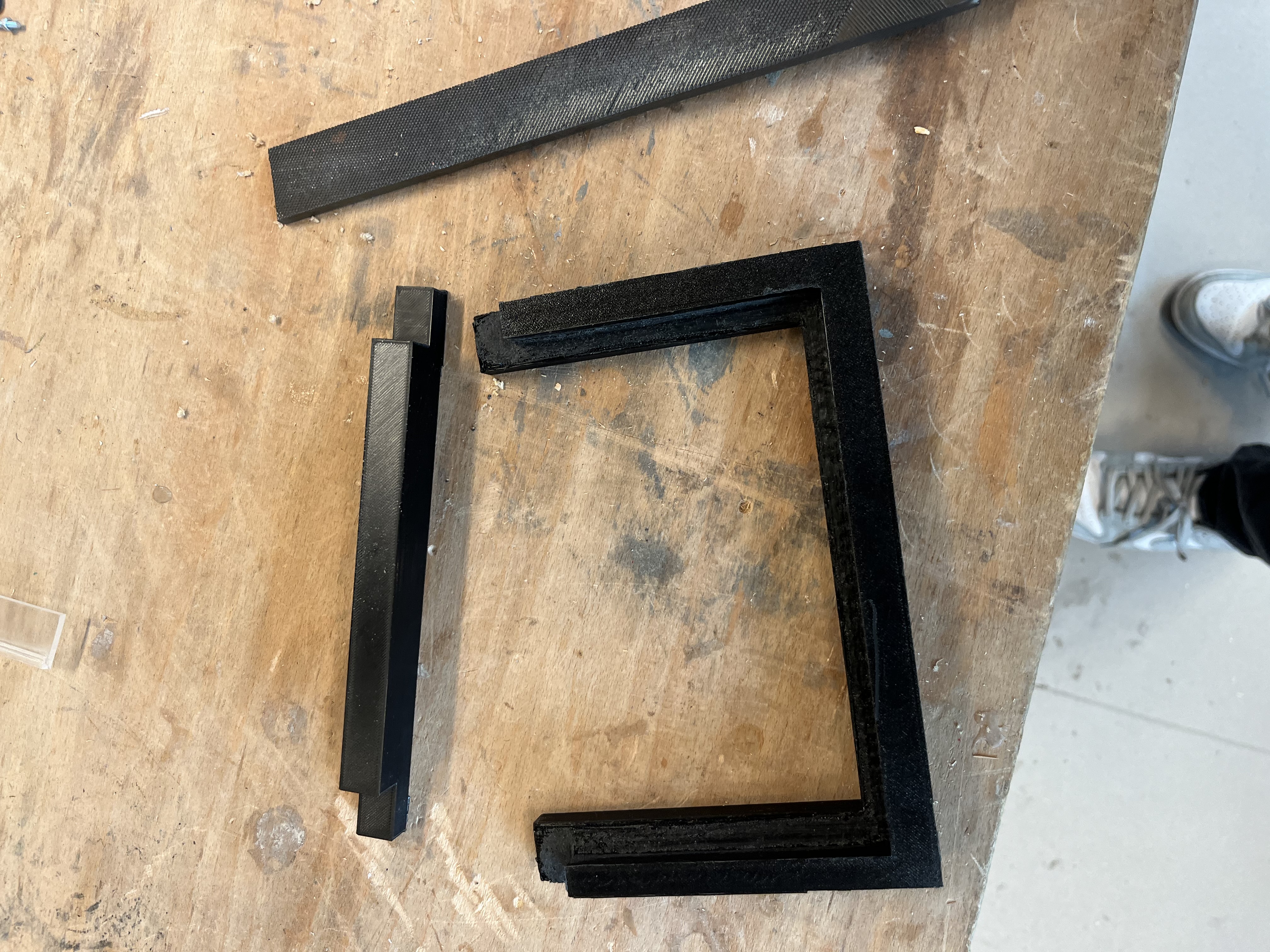
Day 20 of June 2024:
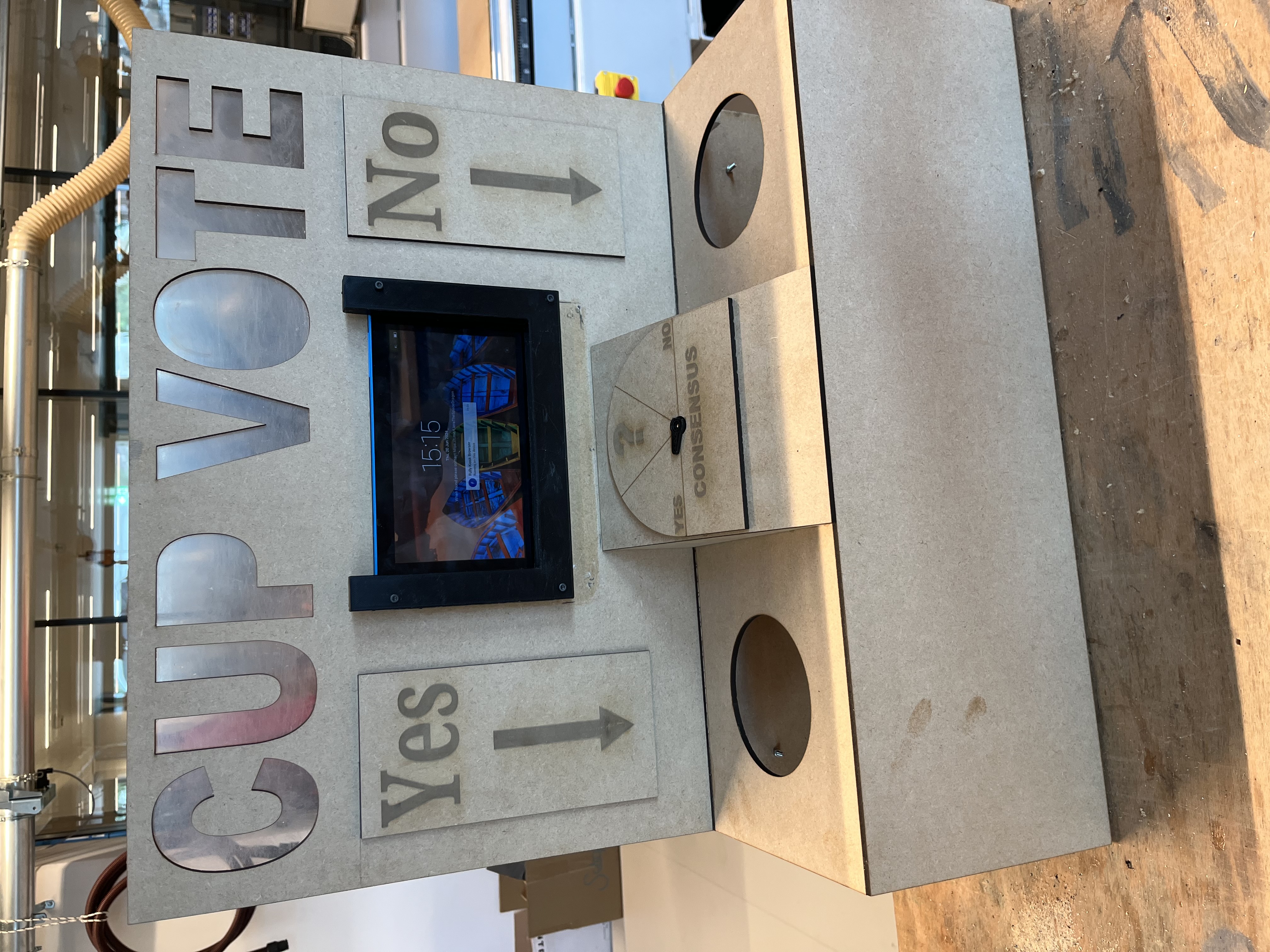
Yesterday i started with filling the product and today we are going to assemble all the elements onto the headboard. It will be taking the whole day to add all the elements together but hopefully in the end it all will look good. At the end of the day with all the elements attached the device looks like this:
Day 21 of June 2024:
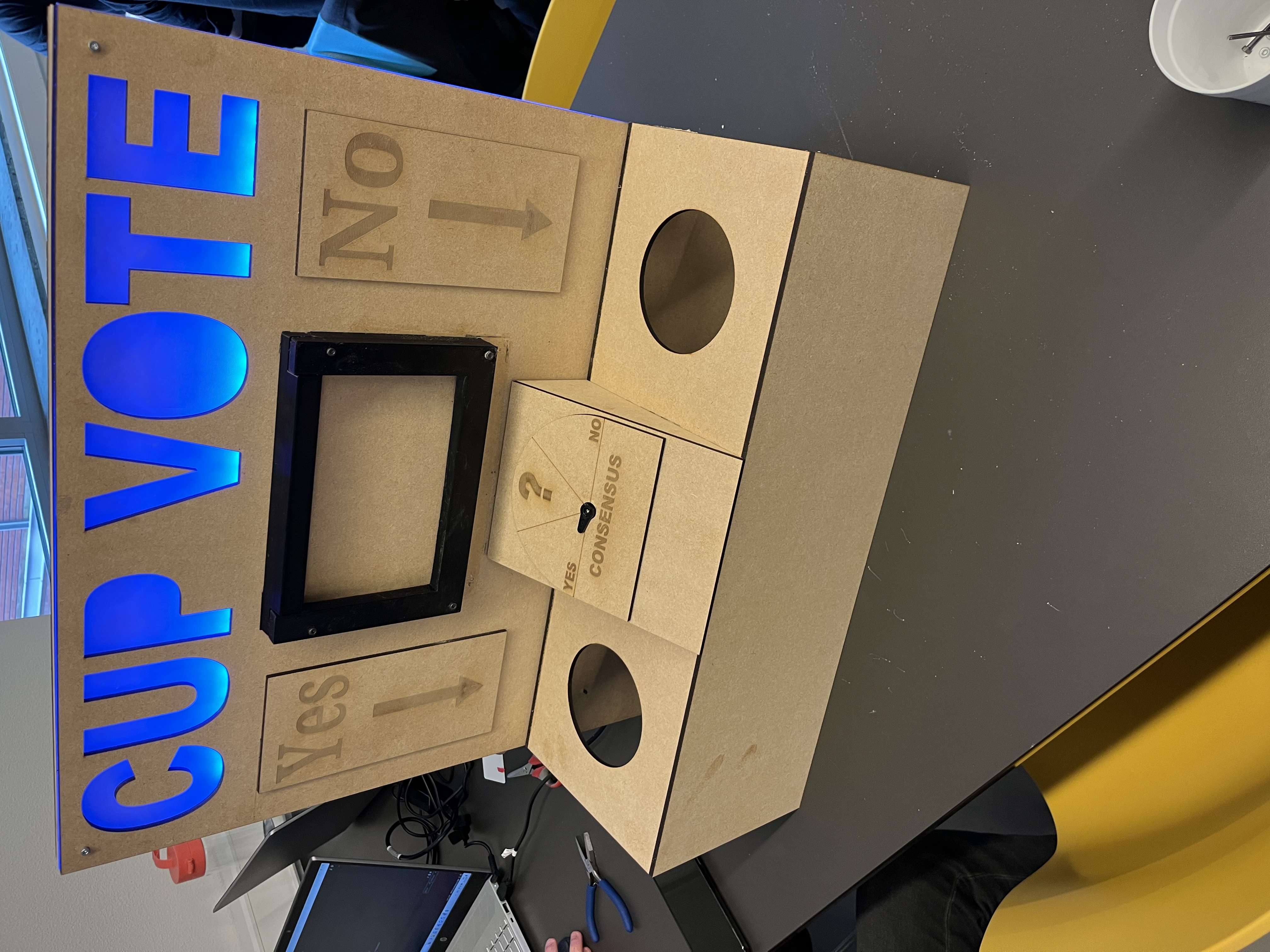
After yesterday most parts are added but today the backboard needs to be finished and attached to the headboard. I spent a few hours drilling the right holes and adjusting the sizes of the original holes for the cables. After this was all done the final product looked like the following:
Week 9
Day 24 of June 2024:
Today i'm starting on finishing the last bits of the documentation from the user story's and making the device ready to be presentable for the delivery on thursday.